
How to Create Training Videos With AI in 2026
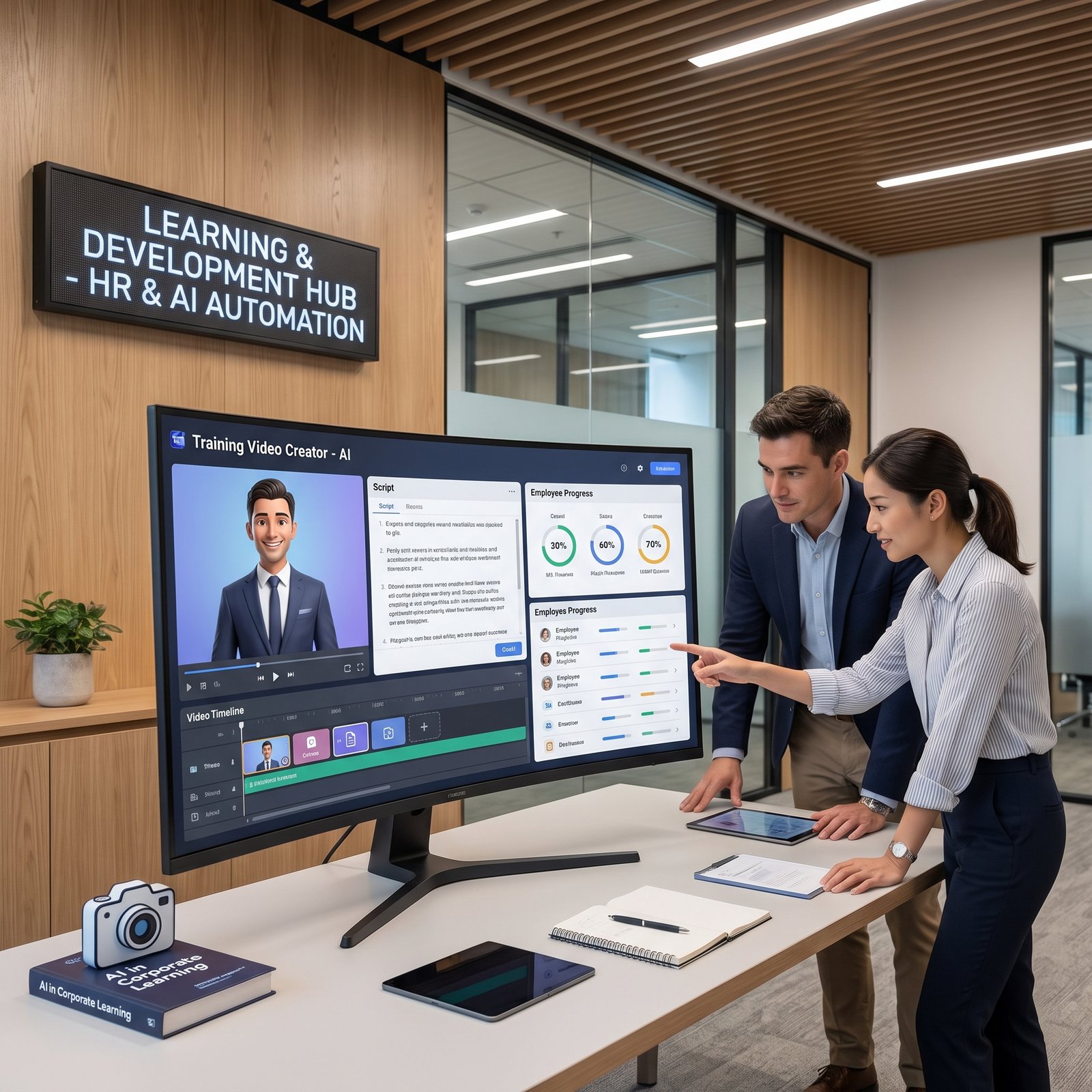
Creating employee training videos traditionally meant writing a script, booking a presenter, recording footage, editing the video, adding captions, and producing different versions for different audiences. AI has changed that workflow.
Today, organizations can create training videos with AI by turning documents, presentations, policies, product information, or existing training material into structured video content. AI can assist with scriptwriting, narration, avatars, captions, translations, visual creation, editing, and even interactive learning experiences.
That does not mean AI should replace trainers or instructional designers. The strongest workflow is usually AI-assisted production with human oversight. Subject-matter experts still need to verify facts, policies, procedures, examples, and learning objectives.
This guide explains how to create a training video with AI from beginning to end, which AI tools are useful for employee training, how to control costs, and how HR and Learning & Development teams can build a scalable training-video workflow.
How to Create Training Videos With AI: Quick Overview
The basic process is:
Training Goal → Script → Visuals → AI Voice/Avatar → Editing → Review → Publish → Measure
| Stage | What happens |
|---|---|
| Training Goal | Define what learners should know or do |
| Script | Turn reliable source material into a structured lesson |
| Visuals | Add demonstrations, slides, screen recordings, graphics, or AI visuals |
| AI Voice/Avatar | Generate narration or use an AI presenter |
| Editing | Combine narration, visuals, captions, branding, and demonstrations |
| Review | Have a qualified person verify accuracy and instructional quality |
| Publish | Deliver through an LMS, employee video training platform, or internal portal |
| Measure | Check completion, knowledge, feedback, and workplace outcomes |
The technology can accelerate production, but the learning objective should remain the starting point.
What Are AI Training Videos?
AI training videos are instructional videos created with the help of artificial intelligence.
AI may handle one part of the production process or several parts. For example, an HR team might provide an employee handbook and use AI to create a first-draft script. Another tool could generate an AI presenter and narration, while a video editor adds screen recordings, captions, diagrams, and company branding.
There is an important difference between AI-assisted and fully automated video production.
AI-assisted production keeps humans involved in decisions about:
- Learning objectives
- Accuracy
- Examples
- Tone
- Visuals
- Compliance
- Final approval
Fully automated production attempts to let software handle most of those decisions.
For workplace learning, AI-assisted production is generally the safer approach because training content can contain policies, technical instructions, safety information, or other material where mistakes matter.
Who Can Create Training Videos With AI?
AI training video tools can be useful for many types of organizations and professionals.
HR Teams
HR can create onboarding videos, policy explanations, workplace guidance, benefits education, and internal announcements.
Learning & Development Teams
L&D departments can use AI to produce structured courses, microlearning, localized lessons, knowledge checks, and training updates.
Corporate Trainers
Trainers can convert existing presentations, workshops, and instructional material into reusable video lessons.
Small Businesses
Small companies can create professional-looking training without maintaining a dedicated video-production team.
Managers
Managers can create short process demonstrations, team onboarding material, and internal how-to videos.
Educators and Course Creators
Teachers and online educators can turn lesson plans and written material into visual instructional content.
SaaS Companies
Software companies can create product onboarding, feature tutorials, customer education, and internal sales training.
Customer-Support Teams
Support departments can create troubleshooting tutorials and process-training videos.
What Types of Training Videos Can AI Create?
AI can support many training formats.
Employee Onboarding Videos
Introduce new employees to company policies, systems, departments, workflows, and workplace expectations.
Software Training Videos
Show employees how to use CRM systems, HR software, project-management platforms, or internal applications.
Product Training
Explain product features to sales teams, support representatives, customers, or partners.
Compliance Training
Turn approved compliance material into structured lessons, provided qualified reviewers verify the content.
Safety Training
Create instructional material around workplace procedures, equipment, emergency processes, or safety practices.
HR Policy Training
Explain policies such as attendance, workplace conduct, communication procedures, or internal processes.
Sales Training
Create lessons covering product knowledge, sales processes, objection handling, and customer scenarios.
Customer-Service Training
Use realistic scenarios to teach communication, escalation, problem-solving, and support procedures.
Technical Training
Explain software, systems, procedures, and technical concepts through demonstrations and screen recordings.
Microlearning
Break a large course into short lessons focused on one learning objective at a time.
Educational Tutorials
Turn lesson plans, presentations, or written educational material into video-based instruction.
How to Create a Training Video Using AI
Step 1: Define the Training Objective
Start with the learning outcome, not the AI tool.
Ask:
- Who is the learner?
- What should they learn?
- What should they be able to do afterward?
- How will you know they learned it?
- How much information is appropriate for one lesson?
For example, instead of:
Teach employees about cybersecurity.
Use a measurable objective:
After this lesson, employees should be able to identify common phishing messages and report them using the company’s approved process.
That objective gives the AI a much clearer direction.
Step 2: Gather Your Training Material
Collect the information that should form the basis of the video.
This could include:
- SOPs
- Employee handbooks
- Presentations
- Product documentation
- Training manuals
- Company policies
- Knowledge-base articles
- Existing course material
- Process documentation
Before giving material to an AI system, confirm that it is current and approved.
AI can organize information quickly, but it cannot automatically determine whether an outdated company policy is still valid.
Step 3: Create the Training Script With AI
AI can help transform source material into a conversational training script.
A useful prompt could be:
Create a 5-minute employee training script about our approved phishing-reporting procedure. The audience is new employees with no cybersecurity background. Explain the learning objective, demonstrate three realistic examples, explain the correct reporting process, add two knowledge-check questions, and do not invent policies or procedures that are not included in the source material.
This approach is better than simply asking an AI tool to “write a training video.”
The prompt establishes the audience, duration, subject, learning outcome, examples, and boundaries.
Step 4: Structure the Video
A useful training structure is:
Context → Learning Objective → Main Lesson → Demonstration → Example → Knowledge Check → Summary
The structure can change depending on the subject.
For example, a software-training video might use:
Problem → Demonstration → Step-by-Step Process → Common Mistake → Practice → Summary
Instructional structure is more important than flashy production.
Step 5: Generate the Visuals
Training videos can combine different visual formats:
- AI avatars
- Screen recordings
- Presentation slides
- Stock footage
- AI-generated graphics
- Product demonstrations
- Diagrams
- Process illustrations
- Text overlays
- Animated explanations
Choose visuals based on what helps the learner understand the subject.
If you are teaching employees how to use software, a screen recording may be more useful than an AI-generated office scene.
Step 6: Add AI Voice for Training Videos
AI voice generation can turn written scripts into narration without requiring a recording session.
When choosing an AI voice for corporate training videos, pay attention to:
- Pronunciation
- Tone
- Speaking speed
- Pauses
- Clarity
- Language
- Consistency
Technical terminology needs special attention.
Check pronunciation of:
- Company names
- Product names
- Acronyms
- Software names
- Industry terminology
- Employee names
Voice platforms such as ElevenLabs currently provide text-to-speech, voice design, voice cloning, dubbing, and related audio tools. Its current plans range from a free tier to paid plans with commercial licensing and additional voice capabilities.
Step 7: Add an AI Avatar or Presenter
AI presenters can deliver a script using a digital avatar instead of filming a human presenter.
They can work particularly well for:
- Employee onboarding
- Policy explanations
- Product training
- Internal announcements
- Introductory lessons
- Multilingual training
Synthesia currently offers AI avatars and voiceovers in 160+ languages and provides L&D-focused workflows for creating, reviewing, translating, and embedding training videos. Its enterprise offering includes features such as SCORM export, SSO, collaboration, and brand controls.
However, an AI avatar is not automatically more engaging than a human presenter. For subjects requiring empathy, personal experience, complex demonstrations, or strong human connection, a real instructor may still be the better choice.
Step 8: Edit the Training Video
Bring the different elements together:
- Narration
- Screen recordings
- Slides
- Captions
- Demonstrations
- Graphics
- Branding
- Background music where appropriate
- Chapter sections
Keep editing focused on comprehension.
A training video does not need constant animation. Too many transitions, effects, or moving elements can make instructional content harder to follow.
Step 9: Add Captions and Accessibility
Captions should be part of the production workflow rather than an afterthought.
Check:
- Caption accuracy
- Font size
- Contrast
- Reading speed
- Text placement
- Audio clarity
- Transcript availability
Accessibility is particularly important for employee training because learners may have different hearing, vision, language, or learning needs.
Step 10: Review the Training Content
This is one of the most important steps.
A qualified human should verify:
- Facts
- Policies
- Procedures
- Legal or compliance information
- Technical instructions
- Names
- Numbers
- Examples
- Screenshots
- AI-generated claims
Never assume an AI-generated script is accurate simply because it sounds professional.
For compliance, safety, HR, financial, medical, or technical training, the appropriate subject-matter expert should approve the final content.
Step 11: Publish and Distribute
Training videos can be delivered through:
- Learning Management Systems
- Employee video training platforms
- Company intranets
- Internal knowledge bases
- Private video hosting
- Course platforms
For larger organizations, LMS compatibility can become an important purchasing criterion.
For example, Colossyan’s current Professional plan includes SCORM exports, while Enterprise adds expanded SCORM capabilities, analytics, team controls, and enterprise security options.
Step 12: Measure Training Effectiveness
A completed video is not necessarily successful training.
Measure outcomes such as:
- Completion rate
- Quiz results
- Knowledge retention
- Employee feedback
- Time to competency
- Repeated mistakes
- Performance changes
- Manager feedback
Where possible, connect training to an actual workplace behavior or skill.
Best AI Tools to Create Training Videos
The best tool depends on the production problem you are trying to solve.
| Tool | Best For | Important AI/Training Features | Current Pricing Snapshot |
|---|---|---|---|
| Synthesia | Enterprise training and AI presenters | Avatars, AI voiceovers, translations, collaboration, SCORM on Enterprise | Free Basic; paid plans from $29/month |
| Colossyan | Training courses and interactive learning | AI avatars, documents/PDF/PPT import, courses, quizzes, branching, SCORM | Free; Professional from $59/month annually |
| HeyGen | AI presenters and multilingual video | Avatars, voiceovers, translation, interactive video, SCORM/LMS on Business | Free; Creator $29/month; Business $149/month |
| Descript | Editing, screen recordings, narration workflows | Text-based editing, transcription, AI editing, AI speech, captions | Free; paid plans from $16/month |
| ElevenLabs | AI narration and voice | Text-to-speech, voice design, cloning, dubbing | Free; paid from $6/month |
Pricing and features checked against official sources in September 2026 and may change.
Synthesia
Best for: Corporate L&D teams and organizations producing presenter-led training.
Key features: AI avatars, AI voiceovers, AI-assisted script creation, translations, collaboration, branded content, and LMS-oriented capabilities.
Pros:
- Strong corporate-training focus
- Large avatar ecosystem
- Multilingual production
- Enterprise controls
Cons:
- Advanced business capabilities require higher plans
- AI-presenter style is not ideal for every training subject
Synthesia’s current pricing includes a free Basic plan, Starter at $29/month when billed monthly, Creator at $89/month, and custom Enterprise pricing; annual billing reduces the displayed effective monthly rates.
Colossyan
Best for: Training courses, employee education, and interactive learning.
Key features: AI avatars, document and presentation import, AI-generated video/course content, quizzes, branching scenarios, translations, custom avatars, and SCORM exports.
Pros:
- Designed strongly around training and enablement
- Interactive video options
- Course creation
- SCORM support
Cons:
- Usage limits vary by plan
- Advanced enterprise requirements may require a custom plan
Colossyan currently offers a free Starter option, Professional from $59/month on annual billing, and Enterprise pricing for larger organizations. Professional includes SCORM exports, while Enterprise expands course, security, and analytics capabilities.
HeyGen
Best for: AI presenters, localization, and business video creation.
Key features: AI avatars, voice generation, translation, interactive videos, collaboration, SCORM export, and LMS integrations on its Business offering.
Pros:
- Strong avatar capabilities
- Multilingual workflows
- Business collaboration
- Interactive learning features
Cons:
- Credit-based usage can make costs harder to predict
- Advanced team features require Business or Enterprise
HeyGen currently has a free tier, Creator at $29/month, Pro at $49/month, and Business at $149/month for the first seat, with additional seats priced separately. Business includes SCORM export and LMS integration support.
Descript
Best for: Screen-recorded training, tutorials, editing, and teams that prefer text-based video editing.
Key features: Transcription, screen recording, text-based editing, captions, AI editing, AI speech, voice cloning, and collaboration.
Pros:
- Excellent for tutorial workflows
- Text-based editing is practical
- Strong transcription features
- Useful for screen-recorded training
Cons:
- Less focused on corporate training courses than dedicated L&D platforms
- Advanced features consume plan-specific AI credits
Descript currently offers a free plan and paid plans including Hobbyist, Creator, and Business; its current pricing pages show AI credits, media hours, screen recording, transcription, and AI editing capabilities across the plans.
ElevenLabs
Best for: High-quality AI narration rather than complete training-video production.
Key features: Text-to-speech, voice design, voice cloning, dubbing, speech-to-text, and audio tools.
Pros:
- Strong voice-focused workflow
- Useful for multilingual narration
- Commercial licensing available on paid plans
Cons:
- Not a complete training-video editor
- Requires another tool for most visual production
Its current self-serve pricing starts at free, with Starter at $6/month and Creator at $22/month, while higher business tiers provide more credits, seats, and voice capabilities.
Best AI Video Tools for Employee Training
When choosing AI video tools for employee training, look beyond avatar quality.
Important capabilities include:
- AI script assistance
- Templates
- Captions
- Voiceovers
- Avatars
- Branding
- Collaboration
- Translation
- Interactive quizzes
- Branching scenarios
- LMS integration
- SCORM support
- Analytics
- Permissions and security
For example, Colossyan is particularly relevant when course creation, quizzes, branching, and SCORM matter. Synthesia is attractive for enterprise presenter-led training, while HeyGen is useful when teams need AI avatars combined with localization and interactive learning features.
AI Video Tools for Corporate Training
Organizations can use AI video platforms across the employee lifecycle.
Common applications include:
- New-hire onboarding
- Compliance education
- Sales enablement
- Product training
- Technical training
- Internal processes
- Customer-support education
- Software training
The important question is not simply “Which AI video generator is best?”
Instead ask:
Which tool fits our content, review process, security requirements, LMS, team size, and production volume?
How AI Is Changing HR Learning and Development
AI is expanding the role of technology in AI in HR learning and development.
Practical applications include:
- Converting documents into training drafts
- Creating personalized learning material
- Updating outdated lessons
- Localizing content
- Generating practice scenarios
- Creating knowledge checks
- Producing onboarding content
- Supporting learning analytics
AI can make content production more scalable, but L&D professionals remain responsible for deciding what employees actually need to learn and how learning should be evaluated.
How HR Teams Can Use AI for Training
HR teams can use AI for:
- Employee onboarding
- Workplace policies
- Benefits education
- Internal communications
- Skills development
- Process updates
- Multilingual training
- Refresher lessons
When employee or confidential information is involved, HR should use company-approved AI tools and follow organizational privacy, security, retention, and access-control policies.
AI Training Videos vs Traditional Training Videos
| Factor | AI-Assisted | Traditional |
|---|---|---|
| Production speed | Usually faster | Often slower |
| Initial production cost | Can be lower | Can be higher |
| Editing | AI can accelerate many tasks | More manual |
| Voiceover | Synthetic voices available | Human recording |
| Customization | Highly scalable | Often more production effort |
| Human control | Requires intentional review | Direct throughout production |
| Scalability | Strong | More resource-intensive |
| Quality control | Human review still essential | Human review essential |
The strongest model is often not AI instead of people.
It is AI plus human expertise.
How to Scale Training Video Production With AI
Organizations producing dozens or hundreds of lessons need a repeatable workflow.
A scalable process might look like:
Master Training Document → AI Script → AI Voice/Avatar → Reusable Visual Template → Human Review → Localization → Publish
Create reusable:
- Script templates
- Brand templates
- Intro/outro sequences
- Caption styles
- Voice guidelines
- Review checklists
- Naming conventions
This makes it easier to update a training video when a policy or product changes.
How Much Does It Cost to Create Training Videos With AI?
The cost depends on the production workflow.
Potential costs include:
- AI video platform subscription
- AI avatar usage
- Voice generation
- Video editing
- Human scriptwriting
- Instructional design
- Review and approval
- LMS hosting
- Localization
- Additional AI credits
A small company may combine a general AI writing tool, a video editor, and a voice tool.
A large enterprise may prefer an integrated platform with collaboration, security, brand management, analytics, and LMS integration.
The cheapest workflow is not always the least expensive overall if it creates additional review and editing work.
Can You Create Training Videos With AI for Free?
Yes, you can build a basic AI training-video workflow without paying for software, although free plans usually have limitations.
Potential restrictions include:
- Limited AI credits
- Watermarks
- Lower export resolution
- Fewer templates
- Limited avatar access
- Limited voice generation
- Shorter videos
- Restricted commercial features
For example, Synthesia currently offers a free Basic plan, HeyGen has a free plan, Colossyan provides a free option, Descript has a free tier, and ElevenLabs provides a free plan for voice generation.
Free tools are useful for testing a workflow. For large-scale corporate training, paid plans may become necessary because of collaboration, usage, security, LMS, or export requirements.
How to Make AI Training Videos More Effective
Better production does not automatically mean better learning.
Follow these principles:
- Use one clear learning objective per lesson.
- Keep lessons focused rather than unnecessarily long.
- Use real workplace examples.
- Demonstrate procedures instead of only describing them.
- Add accurate captions.
- Use knowledge checks where appropriate.
- Keep visual design consistent.
- Review every AI-generated claim.
- Update training when policies or products change.
- Measure whether employees can actually apply what they learned.
Common Mistakes When Creating Training Videos With AI
Letting AI Write Everything Without Review
Problem: AI can introduce incorrect information.
Solution: Have an SME review important content.
Using Generic Scripts
Problem: Generic training feels disconnected from the workplace.
Solution: Provide approved company-specific material and realistic examples.
Overusing AI Avatars
Problem: A presenter may add little value to a technical demonstration.
Solution: Use screen recordings, diagrams, or demonstrations when they communicate better.
Adding Unnecessary Visuals
Problem: Decorative visuals can distract from the lesson.
Solution: Make every visual support the learning objective.
Ignoring Accessibility
Problem: Some employees may struggle to access the content.
Solution: Use captions, transcripts, readable text, good contrast, and clear narration.
Making Videos Too Long
Problem: Learners may struggle to retain a long uninterrupted lesson.
Solution: Break larger subjects into focused modules.
Using Outdated Source Material
Problem: AI may faithfully turn obsolete information into a polished video.
Solution: Validate source documents before production.
Poor Voice Pronunciation
Problem: Technical terms or company names may sound incorrect.
Solution: Review the complete narration before publishing and use pronunciation controls where available.
Uploading Sensitive Information to the Wrong AI Tool
Problem: Confidential material can create privacy and security concerns.
Solution: Use company-approved platforms and follow internal data policies.
AI Training Video Security and Privacy Considerations
Training content can contain sensitive information, including:
- Employee information
- Internal policies
- Customer information
- Product documentation
- Financial information
- Security procedures
- Confidential business processes
Before uploading material to an AI platform, check your organization’s requirements for:
- Data retention
- Data processing
- Model training
- Access controls
- User permissions
- Enterprise agreements
- Data residency
- Security certifications
Do not put confidential company information into an AI service simply because it accepts file uploads.
Your organization’s security and privacy policies should determine which platforms and workflows are approved.
Example: Creating an Employee Onboarding Video With AI
Imagine a company needs a new-employee onboarding lesson.
1. Source Material
The HR team provides the current onboarding policy and approved employee handbook sections.
2. Training Objective
The objective is:
New employees should understand where to find essential company policies and know whom to contact when they have HR questions.
3. AI Script
An AI system creates a five-minute draft containing:
- Welcome
- Learning objective
- Policy overview
- Example scenario
- Contact process
- Knowledge check
- Summary
4. AI Voice or Avatar
The approved script is imported into an AI video platform such as Synthesia, Colossyan, or HeyGen.
5. Visuals
The team adds:
- Company branding
- Screenshots of the employee portal
- Policy-navigation demonstration
- Captions
- Simple diagrams
6. Human Review
An HR representative verifies every policy statement and contact detail.
7. Publishing
The finished lesson is uploaded to the company’s LMS.
8. Assessment
Employees complete a short quiz after the video.
9. Measurement
The L&D team reviews completion and quiz performance and gathers learner feedback.
This workflow illustrates where AI adds value: it reduces repetitive production work while humans remain responsible for accuracy and instructional decisions.
Who Should Use AI Training Video Tools?
AI training-video tools are particularly useful for:
- Small businesses
- Startups
- HR teams
- L&D departments
- Corporate trainers
- Large enterprises
- SaaS companies
- Online educators
- Course creators
They are especially valuable when an organization needs to create or update many similar videos.
Traditional production may still be preferable when the training depends heavily on live demonstrations, emotional storytelling, complex physical procedures, professional actors, specialized filming, or highly customized production.
Frequently Asked Questions
How do you create training videos with AI?
Start with a clear learning objective and approved source material. Use AI to draft the script, generate narration or an avatar, create or organize visuals, edit the lesson, add captions, review the content with a qualified human, and publish it through an appropriate training platform.
What is the best AI tool for creating training videos?
There is no universal best tool. Synthesia is strong for enterprise AI-presenter training, Colossyan is particularly focused on training courses and interactive learning, HeyGen is strong for avatars and localization, Descript works well for screen-recorded tutorials, and ElevenLabs is useful when high-quality AI narration is the main requirement.
Can AI create employee training videos?
Yes. AI can assist with scripts, avatars, narration, visuals, captions, translations, editing, and interactive content. Human review is still important for accuracy, policies, compliance, and instructional quality.
How can HR teams use AI for training?
HR teams can use AI to create onboarding lessons, policy education, workplace training, skills-development material, multilingual content, and training updates.
Can AI create a training video from a document?
Yes. Some AI video platforms can use documents or presentations as source material. For example, Colossyan supports PPT and PDF import and AI-powered video/course creation from documents and scripts.
Can AI generate voiceovers for training videos?
Yes. AI text-to-speech tools can turn training scripts into narration. ElevenLabs, for example, currently provides text-to-speech, voice design, voice cloning, and dubbing capabilities.
Are AI training videos effective?
They can be effective when they are based on clear learning objectives, accurate information, appropriate instructional design, demonstrations, accessibility, and meaningful assessment. Simply generating a polished video does not guarantee learning.
Can I create training videos with AI for free?
Yes, basic workflows can be created using free plans from several AI video and voice platforms. Free plans typically have restrictions such as limited credits, shorter videos, watermarks, or reduced export options.
What are the best AI video tools for employee training?
For employee training, look for platforms that provide avatars, voiceovers, captions, collaboration, branding, localization, analytics, SCORM or LMS support, and appropriate security controls. Synthesia, Colossyan, and HeyGen are particularly relevant to this use case.
Can AI replace corporate trainers?
AI can reduce repetitive production work, but it should not be treated as a complete replacement for trainers, instructional designers, or subject-matter experts. Human expertise remains important for learning objectives, context, accuracy, coaching, assessment, and complex training situations.
How long should an employee training video be?
There is no universal ideal duration. A video should be long enough to achieve its learning objective without adding unnecessary information. For larger subjects, several focused microlearning lessons can be easier to consume and update than one long video.
How do I make AI training videos more engaging?
Use realistic examples, demonstrations, clear narration, captions, appropriate visuals, knowledge checks, and a focused learning objective. Avoid adding animation or AI avatars simply for visual novelty.
Conclusion
The process to create training videos with AI is no longer limited to generating an AI avatar and reading a script. Modern workflows can combine AI-assisted writing, voice generation, avatars, screen recordings, captions, translations, editing, interactive learning, and LMS delivery.
The most effective approach is to treat AI as a production assistant rather than the person responsible for learning quality.
Start with an accurate source document and a measurable learning objective. Use AI to accelerate scripting and production, then have qualified people review the result before employees see it. For larger organizations, choose tools based not only on video quality but also on collaboration, security, localization, analytics, LMS compatibility, and scalability.
If you are building an employee-training workflow, explore our AI tools for employee training and broader AI tools directory to compare solutions based on your team’s actual requirements.



Leave a Reply